
Why does a nonprofit need a content strategy?
A nonprofit runs on trust, and trust comes from showing the work. Stories, plain updates and clear how-tos turn a website into the first place everyone goes.
Because a nonprofit's website speaks to three groups at once, and each arrives with a different question. A donor wants to know what a gift will do. A volunteer wants to know what Saturday morning will actually involve. A neighbor who needs help wants to know where to go, when, and what to bring, ideally without having to make a phone call they would rather not make.
A content strategy is simply a plan for answering all three, on purpose, in plain words, before they have to ask. Without one, the website drifts toward whichever audience the last board meeting worried about, and the other two quietly stop finding what they came for.
Who is a nonprofit website really talking to?
Quick answer: donors, volunteers and the people you serve, and they need almost nothing in common from you except honesty.
It helps to picture each one at the moment they open your site.
- The neighbor looking for help is often reading on a phone, sometimes late at night, sometimes with a child nearby. They need hours, an address, what documents (if any) to bring, and reassurance that they will be treated well. Every extra click is a reason to give up.
- The volunteer has already decided they want to help. What stops them is uncertainty: will I be useful, will I be in the way, what do I wear, can I bring my teenager. An honest description of a first shift turns interest into a sign-up.
- The donor is weighing trust. They have heard of you, perhaps from a friend or an event, and before they give they want to see the work and understand where money goes. A polished donate button with nothing behind it asks for faith; a page of plain updates earns it.
These three rarely read the same article, and that is fine. What they share is a sense, built over many small visits, that this organization tells the truth and keeps its information current. That sense is the real asset your articles build. Our article on why every business needs a blog makes the nonprofit case in brief alongside nine other industries; this one goes into the detail.
What should a nonprofit publish for each audience?
Quick answer: practical guides for neighbors, honest previews for volunteers, and concrete reports for donors, with stories (told with consent) that serve all three.
Start with the questions you already answer every week by phone, email and at the front desk. Each one that recurs is an article waiting to be written. A food bank, for example, might plan these six first:
- Where can I get help? Hours, locations, what to bring, and what happens when you arrive.
- What does my gift pay for? What a small, a medium and a larger gift each provide, in meals, shelf space or delivery runs, rather than vague talk of impact.
- How do I volunteer? The roles you have, the shifts they cover, and how to sign up.
- What is a first shift like? A step-by-step walk through a volunteer's first morning, from parking to the last box.
- What can I donate? What you need most this month, and what you cannot accept (and why).
- How did this year go? Your year in plain numbers, with the hard parts left in.
Beyond those six, keep a running list of smaller pieces: a seasonal needs update, a profile of a long-serving volunteer, an explainer on how a partner pantry receives food, a note on what changed when you moved warehouses. None of these needs to be long. Each one needs to be true and current.
Why stories matter, and why they come last on the list
Stories of the people and places you serve are the most moving content a nonprofit can publish, and the easiest to get wrong. They belong in the plan, but only after the practical guides exist, and only on the terms set out in the next section.
What does a nonprofit need to be careful about?
Quick answer: consent, dignity, honest reporting and privacy, in that order; when in doubt, ask your own counsel or whoever handles compliance for your organization.
This is general guidance, not legal advice. Rules about privacy, fundraising claims and the people you serve vary by place and by program, so check anything specific with your own legal advisor.
Consent you can stand behind
Never share a person's name, face, situation or story without their clear permission, given freely and without any sense that their help depends on it. Ask in plain language. Explain where the story will appear and for how long. Let them read it before it goes up, and make it easy to ask for it to come down later. Keep a simple note of who agreed to what, and when.
Be especially careful with children, with anyone in a vulnerable situation, and with people who might not feel able to say no to an organization that feeds or houses them. When consent is uncertain, tell the story without the person: describe the program, the shift, the delivery route.
Dignity in how stories are told
A story about someone you serve should leave them with their dignity intact. Avoid before-and-after framing that casts people as problems you solved. Let people speak in their own words where they are comfortable doing so. Do not crop a photo to emphasize hardship. Ask yourself whether the person would be glad to see the piece shared by a friend.
Honesty in impact reporting
Report what happened, including the parts that did not go to plan. If a drive fell short, say so and say what you learned. Do not round up numbers, imply that every gift goes directly to a single family when it does not, or describe a program as larger than it is. Donors who discover an exaggeration rarely give again, and neither do their friends.
Privacy for the people who ask for help
A get-help page should never require anyone to identify themselves just to read it. Be careful about what forms ask for and why. Avoid publishing photos taken at distribution sites where people did not expect a camera. If you are unsure what you may collect or share, that is a question for your counsel, not for a web designer.
How often should a small nonprofit publish?
Quick answer: one story or update a month, extra pieces around drives and giving seasons, and the get-help guide checked every week.
A steady monthly article is achievable for a small team and gives donors and volunteers a reason to come back. Layer campaign pieces on top when you need them: a food drive in spring, a back-to-school push in late summer, year-end giving in the last weeks of the year.
The get-help guide is different. It is not a monthly article; it is a living page. If your hours change for a holiday or a site closes for a week, update it the same day. An out-of-date address on a get-help page sends someone in need to a locked door, and that is a harm, not a missed opportunity.
Plan the year by season so each piece is ready before it is needed:
- Winter: a needs update for the coldest months, a volunteer orientation explainer for the new year's sign-ups, and the year in review.
- Spring: the spring food drive, a volunteer story (with consent), and a refresh of the get-help guide.
- Summer: the summer meals program for families when school is out, a back-to-school drive, and a mid-year impact report.
- Fall: a giving-season story, holiday volunteering, and the year-end giving appeal.
What does the first 90 days look like?
Quick answer: fix the get-help guide first, then the volunteer path, then the donor reporting, one month for each.
Do not start with a story. Start with the page that does the most good when it is right.
Month one: the neighbors
- Week one: list every question your front desk and phone line answered last month.
- Week two: write or rewrite the get-help guide, with hours, locations, what to bring and what to expect.
- Week three: ask two or three people who have used your services, with their consent, whether the guide is clear. Change what confused them.
- Week four: decide who checks the guide every week, and put it on their calendar.
Month two: the volunteers
- Write the "how to volunteer" guide, listing each role and shift honestly.
- Interview your volunteer coordinator and a newer volunteer, and write "what is a first shift like" from their answers.
- Link both from your sign-up page so nobody has to hunt for them.
Month three: the donors
- Write "what your gift pays for", in concrete terms your finance lead has checked.
- Publish your first monthly update, short and specific.
- Start a simple list of story ideas, each marked with whether consent has been asked for and given.
By day 90 you have the three pages that matter most to each audience, plus a habit. Stories can follow from there, at the pace consent allows.
How do you write one article well when staff are stretched?
Quick answer: interview the person who knows, write it up in plain words, have the right person check it, and keep it to what a reader needs.
Most nonprofit staff do not have time to write, but almost all of them can talk for twenty minutes about their work. Use that.
- Pick one question. "What is a first shift like" is a good article. "Our volunteer program" is a brochure.
- Interview the person closest to it. The warehouse lead knows the first shift better than the executive director does.
- Write it as answers. Lead with the short answer, then the detail, in the order a reader would need it.
- Keep it the right length. A get-help guide should be short enough to read on a bus. A year-in-review can run longer, because donors who open it want the detail.
- Get it checked. Program staff check accuracy. Your finance lead checks every number. Anyone featured reads their part first. The executive director or a board member gives a final read on anything about money.
- Add one honest photo, taken with permission, of the real place or real work.
A volunteer with a gift for writing can draft many of these, as long as the review steps stay in place.
How will you know it is working?
Quick answer: measure each audience on its own terms: donations after reading, volunteer sign-ups after the first-shift guide, and fewer basic calls about hours.
One big traffic number tells you almost nothing here, because a visit from a donor and a visit from someone seeking help mean very different things. Track each path separately.
- Donors: gifts made after someone read a story or impact page, and newsletter sign-ups from those pages. Your donation platform and your site's analytics together can usually show this.
- Volunteers: sign-ups in the weeks after the first-shift guide went up, and fewer no-shows from people who did not know what to expect. Ask your coordinator; they will notice.
- Neighbors: visits to the get-help guide, and, just as telling, fewer phone calls asking for hours and addresses. Ask whoever answers the phone whether the questions have changed.
What to ignore: likes on social posts about articles, and month-to-month swings in visits. Look at each measure by season, because a food bank's year has strong seasons and comparing December with March tells you little.
What mistakes do nonprofits make with their content?
Quick answer: writing only for donors, letting the get-help page go stale, and telling stories that serve the organization more than the person in them.
- Donor-only websites. Everything is about giving, and the neighbor who needs help has to dig past three appeals to find opening hours.
- A stale get-help guide. Last winter's holiday hours still showing in spring. This is the most common and the most harmful mistake on the list.
- Stories without real consent. A photo taken at a distribution site and used in an appeal, with nobody asked.
- Impact language without impact. "Transforming lives in our community" says nothing a donor can believe. "Our delivery van now reaches two more rural towns each week" says something.
- Hiding the hard years. A year-in-review that leaves out a difficult season reads as spin to anyone who was there.
- Publishing in bursts. Six posts during a campaign, then nothing until the next one. A steady monthly rhythm keeps donors and volunteers connected between asks.
What should you ask a web team before you hire one?
Quick answer: ask how your staff will update the get-help guide on a busy day, how they handle consent and privacy, and who you call when something breaks.
A good team will welcome these questions. A weak one will steer the conversation back to design.
- Can our volunteer coordinator change the hours on a phone, without calling you? The answer should be yes, with a demonstration.
- Can we draft and preview an article before it goes live? A story about someone you serve should be reviewed by that person before anyone else sees it.
- What does our site collect from visitors, and where does it go? They should be able to answer plainly, and they should not add tracking you did not ask for.
- Who owns the website and its content if we part ways? You should, including the domain.
- How do you keep the site secure, and how will we know? Ask what they review and how often, and whether you get a report.
- Will our pages work for screen readers and on slow phones? Many of the people you serve may rely on both.
- Have you worked with organizations that serve vulnerable people before? Listen for whether they bring up consent before you do.
Where can you see this working?
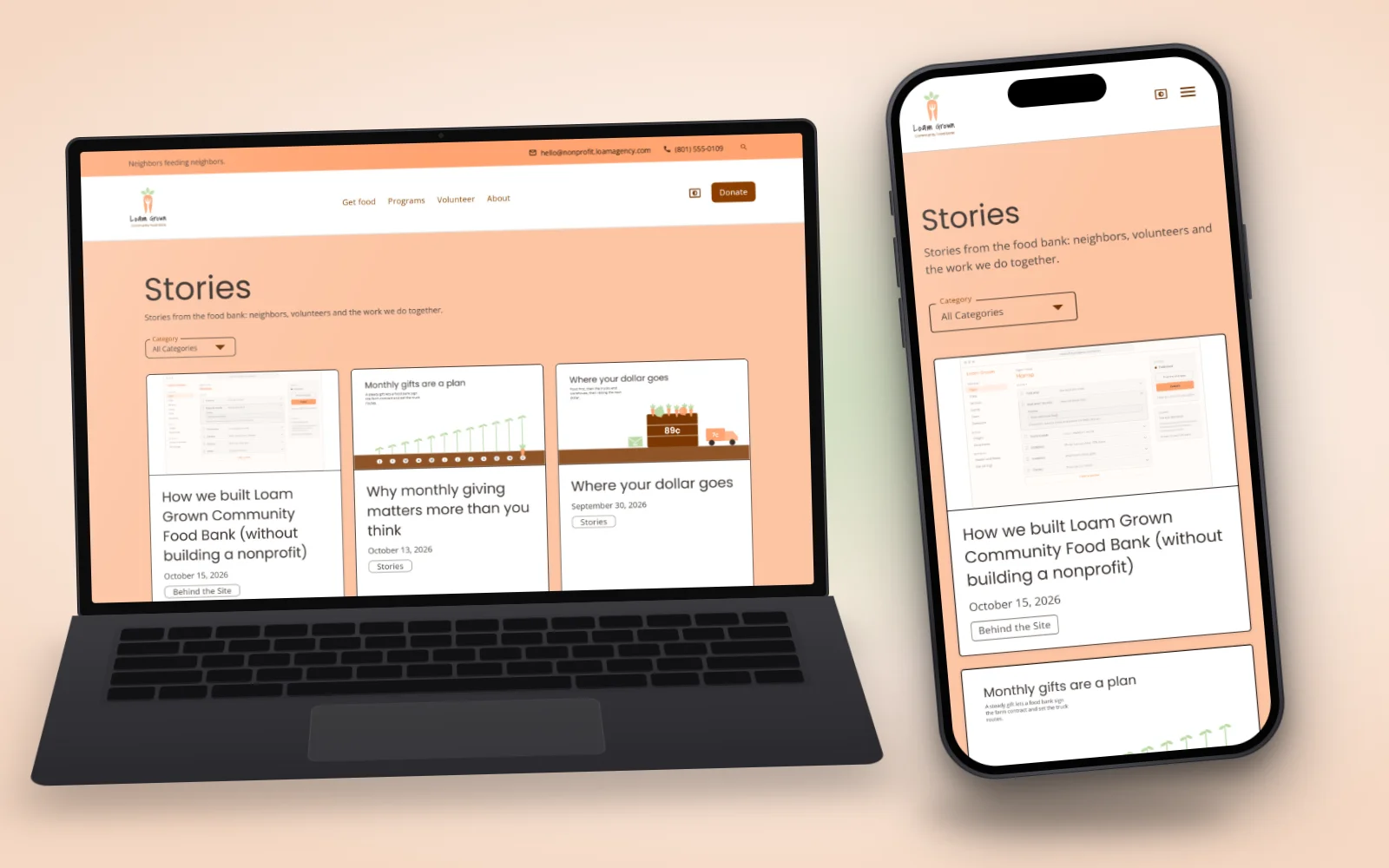
Quick answer: on Loam Grown Community Food Bank, a fictional nonprofit Loam built to show what a nonprofit website and its articles can look like.
Visit Loam Grown Community Food Bank to see a get-help guide, volunteer pages and donor updates working together. The food bank, its people and its numbers are invented; the website, its editor and its blog are real and working. You can compare it with the other industries in our custom website examples.
If your organization's website is serving one audience well and the other two poorly, we would be glad to talk it through. Get in touch with Loam and tell us who you serve.
Post Details
August 7, 2026