
Why does a medical practice need a content strategy?
Patients search before they call. A practice that answers their questions in plain language is the one they trust before they meet anyone there.
Because patients search before they call. They want to know whether you take their insurance, roughly what a visit will cost, whether their problem is worth an appointment, and what will happen when they walk in. A content strategy is the plan for answering those questions on your own website, carefully and in plain language, with a clinician checking every article, so new patients arrive informed and your front desk stops answering the same five questions all day.
It is also how a practice shows its manner before anyone has met it. Patients choose a doctor partly on whether they feel they will be listened to and spoken to clearly. A website full of calm, honest explanations makes that case better than any slogan on the home page.
Why do patients read before they choose a practice?
Quick answer: because choosing a doctor is personal and often happens at a stressful moment, and patients want to understand the practicalities before they commit.
The way patients arrive at a practice is unlike most purchases. Some are making a calm, planned choice: they have moved to town, changed jobs, or their insurance changed in January and their old doctor is out of network. Others are searching late at night because a child has a fever or a pain has not gone away, and they are trying to decide whether to book an appointment, go to urgent care or wait.
Both kinds of patient read, and both are judging you by how clearly you explain things. The planned chooser compares two or three practices on insurance, location, the first-visit process and the tone of the site. The worried searcher wants a straight answer about where to go and what to expect, and remembers the practice that gave it to them.
There is a quieter reason too. Once someone is your patient, they rarely leave unless something goes wrong, so every new patient is worth years of care. And the questions your front desk answers by phone every day are the same ones a prospective patient types into a search box. Writing those answers down serves both groups at once.
Which questions should a practice answer first?
Quick answer: the practical questions your front desk hears every day, starting with insurance, cost and what a first visit is like.
For two weeks, ask whoever answers the phone to keep a simple tally of the questions callers ask. No names, no details, just the question. That list is your editorial plan, and it is almost always about logistics rather than medicine.
A starting list for a family practice:
- Do you take my insurance? The plans you accept, how to check whether a specific plan is in network, and what to do if it is not.
- What will my visit cost? How costs work with and without insurance, what a copay and a deductible are, and how to ask for an estimate. Keep it general and point to the front desk for specifics.
- Should I book or go to urgent care? A plain guide to where to go for what, with a clear line at the top telling anyone with an emergency to call emergency services.
- What happens at a first visit? From arrival and paperwork to the exam and follow-up, step by step, including how long it usually takes.
- How do I prepare for a physical? What to bring, whether to fast if your clinicians ask for it, and what questions to write down beforehand.
- What does the website collect? Your privacy practices in plain words: what forms ask for, what the site does not collect, and where to go to discuss anything private.
Notice that none of these requires the practice to diagnose anything. That is deliberate. The most useful practice articles are about access and process, which is also where the least risk lies.
How often should a practice publish, and when?
Quick answer: two reviewed articles a month, planned around the seasons patients notice, with cost and insurance guides refreshed every January.
The calendar for a practice follows the year patients live through. January is when insurance plans change and people look for new doctors, so the insurance explainer and new-patient guide matter most then. Spring brings allergy questions and sports physicals. Late summer is school physicals and the first flu shot dates. Autumn and winter are flu season, year-end benefits that people want to use before they reset, and holiday hours.
Two articles a month suits a practice because every article needs a clinician's review, and clinicians have very little spare time. A steady, small load gets reviewed; a pile of ten drafts does not. Some articles will be short and practical, like flu shot dates and holiday hours. Others, like the first-visit guide, are evergreen and should be checked and refreshed once a year rather than rewritten.
What should the first 90 days look like for a practice?
Quick answer: month one is the front-desk tally and a review routine, month two is the insurance and first-visit guides, and month three adds the first seasonal article and a refresh date for everything.
Month one: gather the questions and agree on review
- Run the front-desk question tally for two weeks.
- Agree which clinician reviews articles, how drafts reach them, and how quickly they can turn them around.
- Write a short standard note for the foot of every article saying it is general information, not medical advice, and telling readers to contact the practice or emergency services as appropriate.
- Check with your privacy officer or counsel what the website's forms should and should not ask for.
Month two: the two guides that cut phone calls
- Write and publish the insurance guide, checked against the current list of plans you accept.
- Write and publish the first-visit guide, from parking to follow-up.
- Link both from your new-patient page and appointment page, and ask the front desk to send the links when callers ask.
Month three: the first seasonal piece
- Publish one article tied to the season: flu shot dates in autumn, allergy season in spring, school physicals in late summer.
- Run the front-desk tally again for a week and compare it with the first one.
- Put a review date on every published article and add those dates to the practice calendar.
At the end of three months, the practice has the core guides that new patients need, a review process clinicians accept, and a first sense of whether the phones are quieter.
How do you write one patient article well?
Quick answer: answer the question at the top, explain the steps in plain words, avoid giving medical advice, and end with how to book or whom to call.
Structure
Use the patient's question as the title, and answer it in the first two sentences. Then walk through the practical detail in order: what to bring, what happens, how long it takes, what it might cost and how to find out. Lists help here, because patients often skim on a phone. End with a clear next step: how to book, what number to call, or when to seek urgent care instead.
Length
Most practice articles work best between six hundred and twelve hundred words. Patients want completeness on logistics but not essays. If an article needs much more, it is probably two articles.
Who writes it
An office manager or practice administrator is often the best first author, because they know what patients ask and how the practice actually runs. A clinician then reviews for accuracy and adds anything clinical that needs a careful line. Writing in plain language is a skill: short sentences, no unexplained terms, and the reading level of a worried parent at midnight.
Review
A named clinician signs off every article before it goes live, and again whenever it is changed in substance. Show the date it was last reviewed on the page.
What should a practice be careful about in its articles?
Quick answer: keep articles general and educational, protect patient privacy completely, and never use a patient's story, photo or words without written authorization.
This section is general guidance, not legal or medical advice. Privacy and advertising rules for healthcare differ by country, state and the kind of practice, so check your plans with your own compliance or privacy officer, or with counsel, before you publish. With that in mind, these habits keep a practice blog on safe ground:
- No medical advice. Articles explain how the practice works and what to expect. They do not tell a reader what condition they have or what treatment they need. Say so in a short note on every article, and include a clear line about what to do in an emergency.
- No promises about outcomes. Avoid words that suggest a treatment will work, cure or guarantee anything.
- Protect patient information completely. Never mention a patient, even without a name, in a way that could identify them. That includes details about dates, places or unusual circumstances.
- Written authorization for any patient story or photo. If a patient wants to share their experience, get written permission under your practice's process before using it, and let them review the final version.
- Think about what forms invite. A general contact form should not encourage people to describe symptoms or share medical details. Point them to your patient portal or phone line for anything private.
- Check what the website collects. Ask your web team and your privacy officer together what tools run on the site and what they keep, especially on pages about specific services.
- Keep cost information general. Prices and coverage depend on the plan. Explain how costs work and how to get an estimate rather than quoting figures that may not apply.
Patients notice this care. A practice that is visibly cautious with their information and honest about the limits of an article is one they are more willing to trust with their health.
How can a practice tell whether the articles are working?
Quick answer: watch new-patient requests from article pages and listen for fewer repeat questions at the front desk.
The measures for a practice are partly on the website and partly in the waiting room:
- New-patient requests from article pages. In your analytics, see which articles were read in visits that ended on the appointment or new-patient page.
- The front-desk tally. Repeat the two-week question count every quarter. If insurance questions fall after the insurance guide goes up, the guide is working.
- Searches for your services and town. Google Search Console shows which search phrases bring people to each article, such as "family doctor accepting new patients" with your town's name.
- Patients who arrive prepared. Ask the front desk to note when a new patient says they read the first-visit guide, or brings exactly what it listed.
- Calls that start with a link. Staff sending article links in reply to emails and calls is itself a sign the articles answer real questions.
Ignore social media likes on health-awareness posts. They rarely bring patients through the door, and they are not what your front desk needs.
What mistakes do practices make with content?
Quick answer: writing medical explainers instead of practical guides, skipping clinician review, and letting insurance and cost information go out of date.
- Rewriting general health encyclopedias. Large health sites already explain conditions. Your advantage is explaining how care works at your practice.
- Unreviewed drafts. Publishing without a clinician's sign-off, even for a simple article, is a habit that eventually goes wrong.
- Out-of-date insurance lists. A guide listing a plan you stopped accepting causes angry calls and wasted trips.
- Stock photos that look like patients. Real-looking patient images can confuse readers. Use photos of your building, staff who have agreed, or none.
- Inviting private details in forms. A contact form that asks "describe your symptoms" collects information the website should not be holding.
- No next step. Every guide should end with how to book, or whom to call.
What should a practice ask a web team before hiring one?
Quick answer: ask how your staff will publish clinician-reviewed articles without help, and exactly what the site and its forms collect about visitors.
A practice website carries information patients will act on, so how it is maintained matters as much as how it looks. Questions worth asking:
- Can our office manager draft an article and send a clinician a preview of the finished page? Look for an editor with drafts, live preview and a history of changes, so you can see who changed what.
- What do the contact and appointment forms collect, and where do submissions go? You want spam protection, clear wording that asks people not to send private details, and a known destination for every message.
- What tools or scripts run on the site, and what do they collect? Ask for a plain list. Then review it with your privacy officer.
- Can we update the insurance guide every January without changing its address? Patients and staff will have the old link saved.
- Will our articles be readable by search engines, AI assistants and screen readers? Ask about real headings, meta descriptions, structured data, alt text and keyboard access.
- Who reviews security and updates after launch? A monthly review with a plain-language report is a reasonable expectation.
- Can we see a working site and its editor? A live example tells you more than screenshots.
Where can you see a practice's articles working?
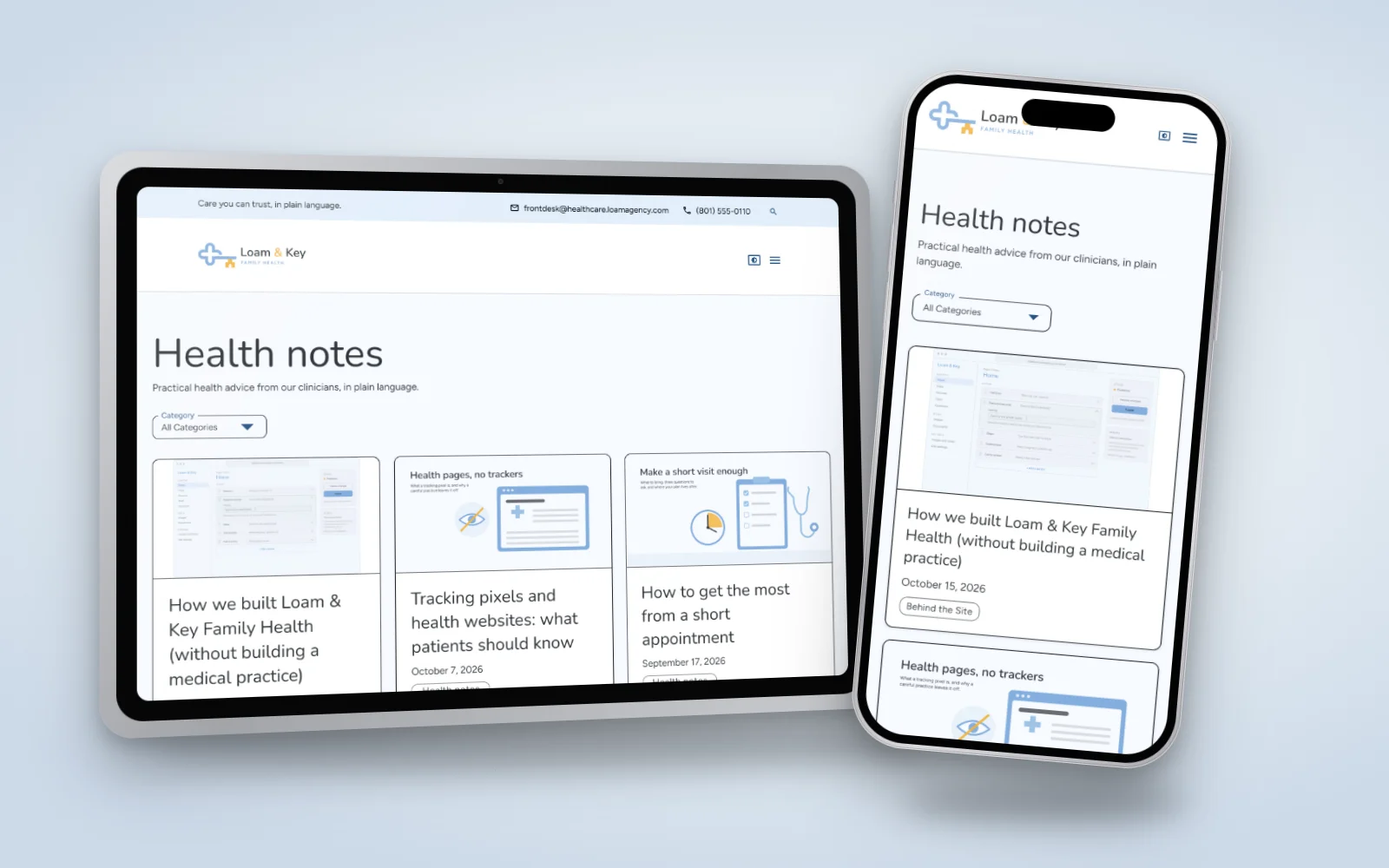
Quick answer: on Loam & Key Family Health, a fictional medical practice Loam built so you can see a complete practice site, patient guides included.
The practice, its clinicians, its patients and its prices are invented. The website, its editor and its articles are real, so you can see how an insurance guide, a first-visit walkthrough and a seasonal flu shot note sit together. To see how a practice compares with other kinds of business, read about why a medical practice in particular needs a blog, one of the ten industries in that article. You can look through every example site as well.
If you would like a site that answers patients clearly and keeps their information safe, tell us about your practice.
Post Details
June 18, 2026