Move your existing WordPress site onto a faster, safer stack without losing content, URLs, or rankings. Same design and content, without a plugin layer to patch, and with a portal that shows how your site is doing.
A migration, not a redesign. Your content and look come with you.
Same URLs
Existing URLs and redirects preserved so rankings hold.
Portal included
Traffic, search, AI visibility and your content map, refreshed weekly.
Looked after
A monthly security review, reported in plain language.
Why teams leave WordPress
Four headaches you can stop having.
WordPress core is well maintained. The trouble is everything bolted on around it.
Security & upkeep
No plugins to patch.
A typical small-business WordPress site runs a dozen or more plugins, each needing its own updates, and most WordPress security problems start there. A Loam site has no plugin marketplace: its features are built in and maintained together, the admin is private, the content API is closed to anonymous visitors, and you get a monthly security review in plain language.
Search & AI answers
Built to be found, and quoted.
On WordPress, search features come from plugins. On a Loam site they're built into every page: one clear H1, meta descriptions, structured data generated from your content, FAQ markup, a sitemap and an llms.txt file for AI crawlers. It's ready for AI agents (WebMCP), and your portal shows which pages ChatGPT, Claude and Perplexity read. Nobody honest promises #1; we make sure nothing technical holds you back.
Editing
Change the words. Keep the design.
Page builders are flexible, sometimes too flexible: it's easy to drag a section off-brand, and heavy builders slow pages down. On a Loam site you edit in a real CMS, with sections already designed for your brand, drafts, live preview and version history. It stays editable even if your developer or an AI tool disappears.
Who looks after it
A website with people behind it.
Not a support queue, a forum thread or whoever you can find. Loam is real people who know your site, and improvements to the foundation keep reaching it after launch. It runs on open-source software, your content exports whenever you want, and no features are held back by a plan tier.
Included with every migration
Your Loam portal
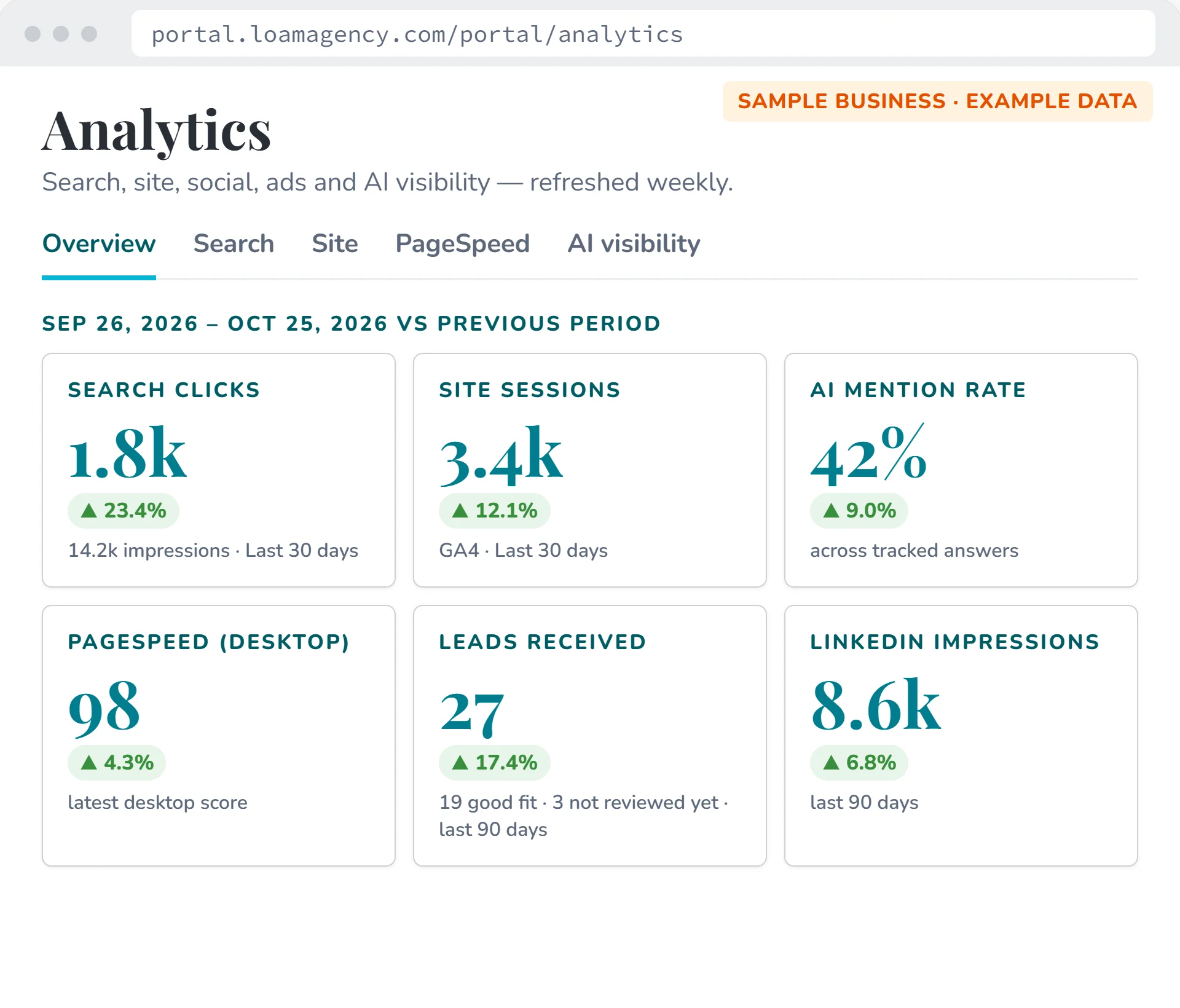
See what your site is doing, without logging in to five different tools.
Sample data
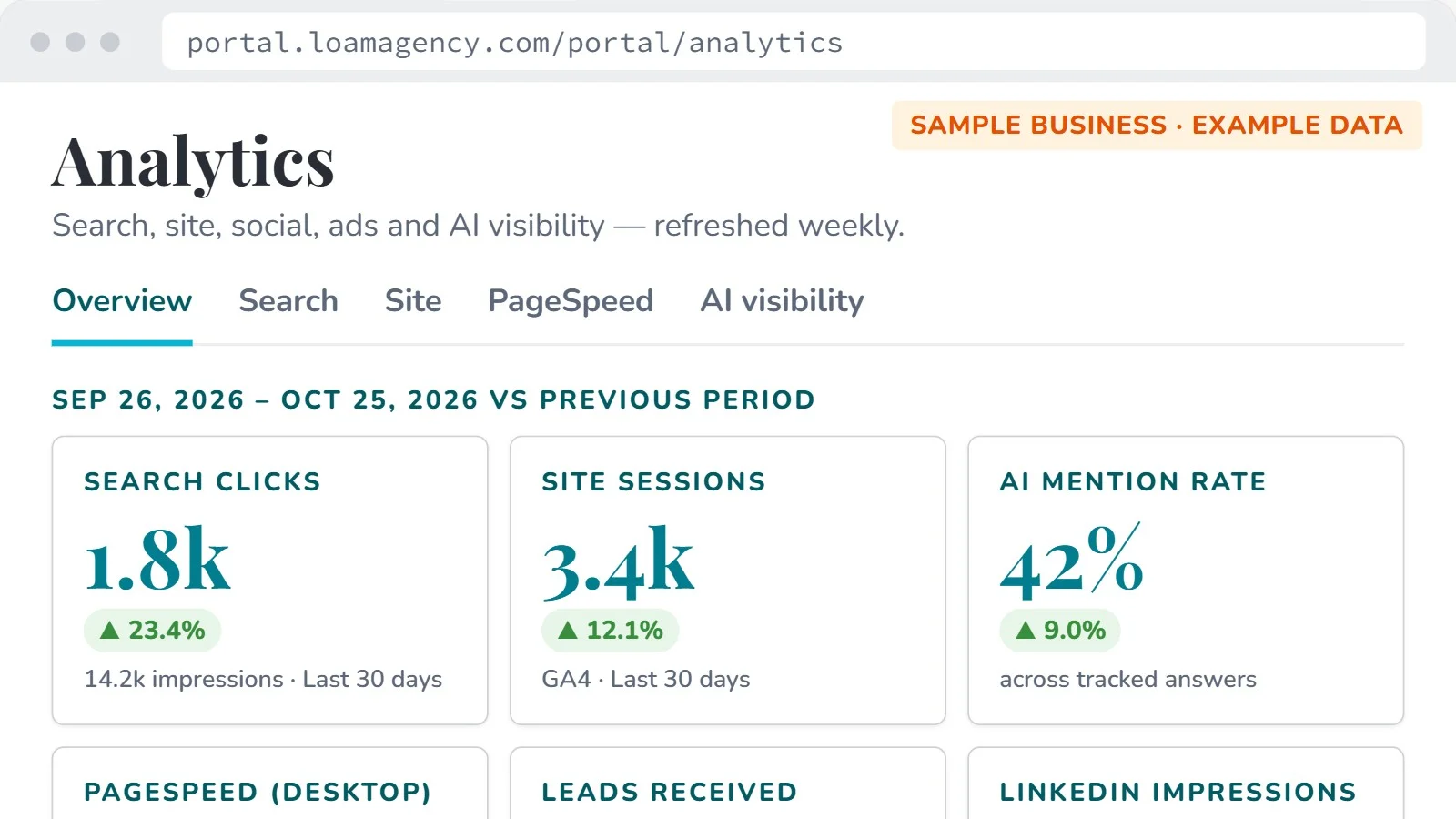
Analytics overview
Search clicks, sessions, PageSpeed, leads and AI mentions on one screen, compared with last period.
Sample data
AI visibility
Each week we ask ChatGPT, Claude and Perplexity the questions your customers ask, and show whether you come up.
Sample data
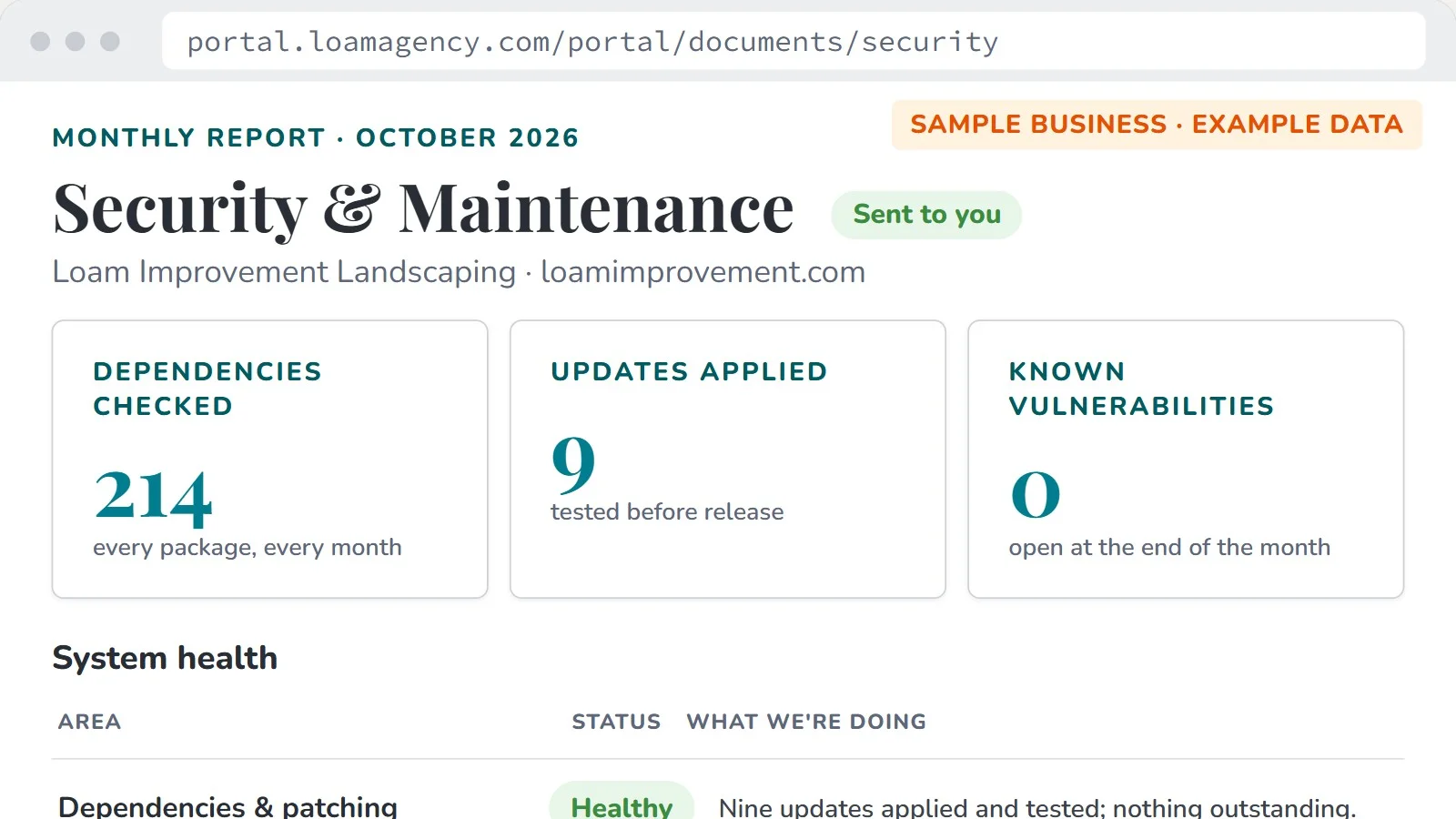
Security & maintenance report
Every month: dependencies checked, updates applied, integrations confirmed, in plain language.
When you're ready to grow
Content that talks to each other.
Search engines and AI assistants trust sites that cover a topic completely and connect the pieces. So we plan content in hubs and spokes, and link it on purpose.
Hubs: one strong page for each thing you do, the pages you most want found.
Spokes: articles that answer the specific questions your customers ask, each one linking back to its hub.
Links that work: hubs link out to their spokes and spokes link to each other, so authority flows to the pages that matter.
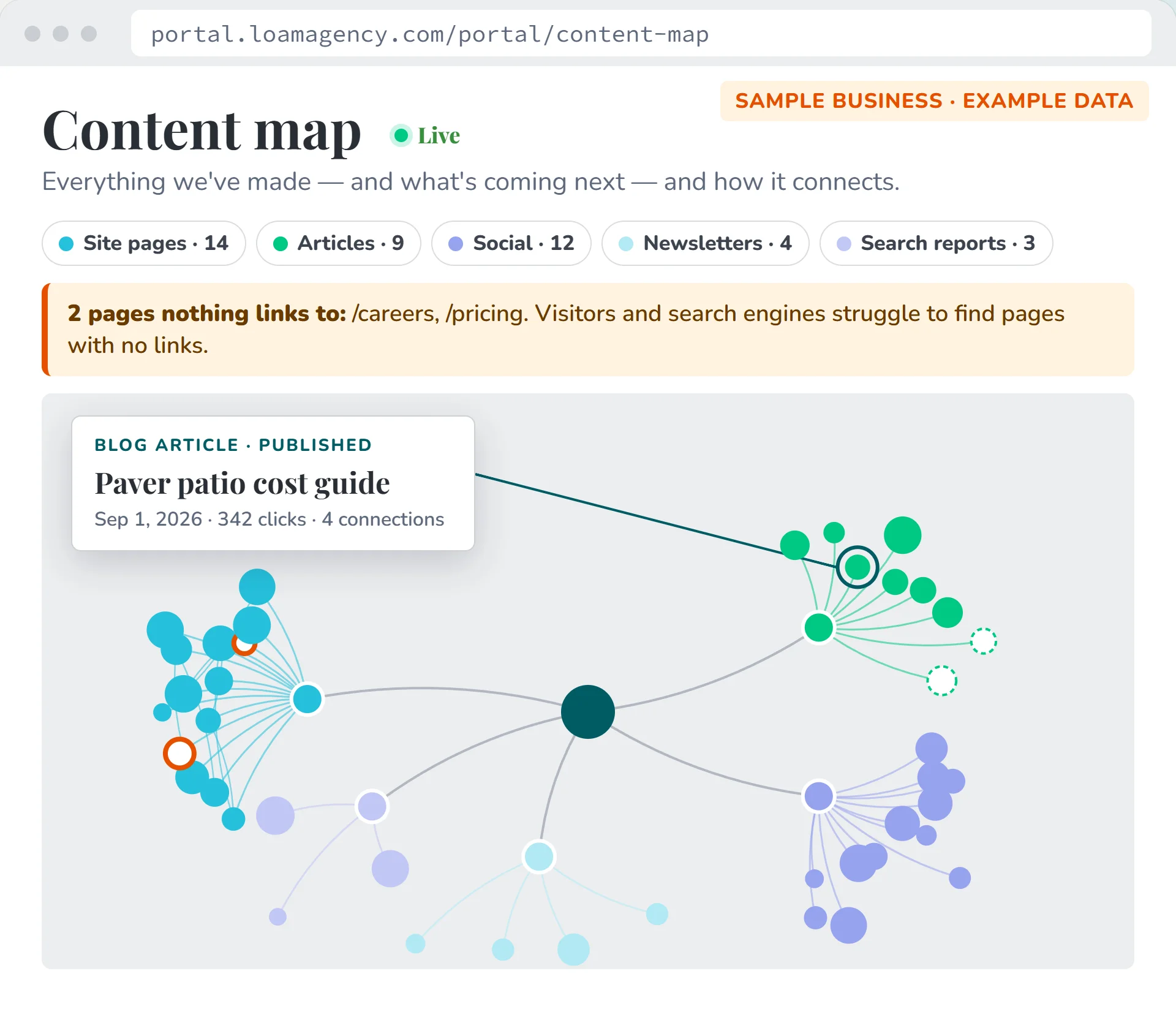
Nothing left stranded: your content map shows every page, what's planned next, and flags any page nothing links to.
The content map comes with every migration. A content plan is scoped separately, so the migration price stays fixed.
Same look, different foundation
What Actually Changes
A migration doesn't have to mean a redesign. Here's what's different underneath, and how it compares with having AI build you a new site.
Features
WordPress
AI-built site
Loam Rebuild
What you get
Plugin attack surface
Every plugin is a potential vulnerability
No plugins, but keys and databases are often left exposed
None. No plugin layer to exploit.
Page speed
Slowed by plugin bloat and tracking scripts
Varies by tool
Server-rendered and edge-delivered
Accessibility
Depends on the theme, rarely tested
Rarely tested
Built and tested to WCAG 2.1 AA
Edit content yourself
Yes, in the WordPress admin
Back to the prompt box, or pay a developer
Yes, in a private admin built around your content
If your developer or AI tool disappears
Still editable; the plugins still need someone
No admin to fall back on; every change is new code
Still editable in the CMS, and the team behind the foundation is still here
Edits stay on-brand
Easy to drift with a page builder
Each prompt can change parts you didn't ask it to
Sections already designed for your brand
Drafts, live preview and history
Design flexibility
Boxed in by the theme's page builder
Whatever the generator produces
Built to your exact structure, not a template
Code ownership
Tied to a theme and plugin ecosystem
Varies by tool
You own the full codebase, in your own repo
Adding a new feature
Usually means installing another plugin
Another prompt, which can rewrite what you didn't ask it to
Built into a structure designed to extend
AI & search visibility
Whatever the SEO plugin happens to do
Often missing: titles, structured data, sitemap
Structured data and llms.txt built in from day one
Ready for AI agents (WebMCP)
Ongoing maintenance
Manual plugin and core updates, on you
Nobody applying updates
Monitored and patched as part of your plan
Reporting portal
Separate tools you set up yourself
None
Included: traffic, search, AI visibility and your content map
Monthly security review, reported to you
If you hire it
People who know your site
Whoever you find
You and a prompt box
Loam
How it works
From WordPress to Loam, without the drama.
We handle the technical move. You confirm content and sign off before we cut over.
1
Capture
We read every page, post and image on your site, including tab and accordion content.
2
Rebuild
Your pages are rebuilt on the Loam foundation, matching your current design.
3
Redirects
Every existing URL is kept or redirected, so your rankings hold.
4
Review & launch
You check it, sign off, and we cut over. No daily involvement needed.
5
Look after
Monthly security reviews and your portal, from day one.
Common Questions
No. Visually it's the same site. What changes is everything underneath: security, performance, accessibility, and ownership.
That's the whole point of the redirect and URL preservation work. Existing URLs and redirects are set up specifically so rankings hold.
Yes. Text, images, pages, menus, FAQs and more are edited in a private admin, with drafts and live preview. And because it's a real CMS, your site stays editable even if your developer or an AI tool is no longer around.
Yes. Every migration includes the Loam portal: search and site traffic, AI visibility, PageSpeed and your content map, refreshed weekly.
AI builders can produce a good-looking first draft fast. The trouble starts on day two: most have no content management system, so every change means going back to the prompt box or paying someone to edit code nobody planned.
Reach out for a custom quote instead of the flat $3,000 rate. A small site usually needs a different shape of engagement, and we'll price it plainly.
We handle the technical move. You'll want to be reachable to confirm content and give final sign-off before we cut over, but this isn't a project that needs your daily involvement.
Bigger than a fixed scope?
When the project outgrows the package, it becomes a retainer.
Multi-site builds, custom integrations, full rebrands and design work that keeps going run on a retainer instead. Same team, scoped to what you need, from $3,000 a month.